Crypto Wallet Addresses Explained: How to Send Cryptocurrency Safely
Learn what crypto wallet addresses are, how blockchain networks affect transfers, how to verify an address before sending cryptocurrency, and the common mistakes that can permanently lose funds.
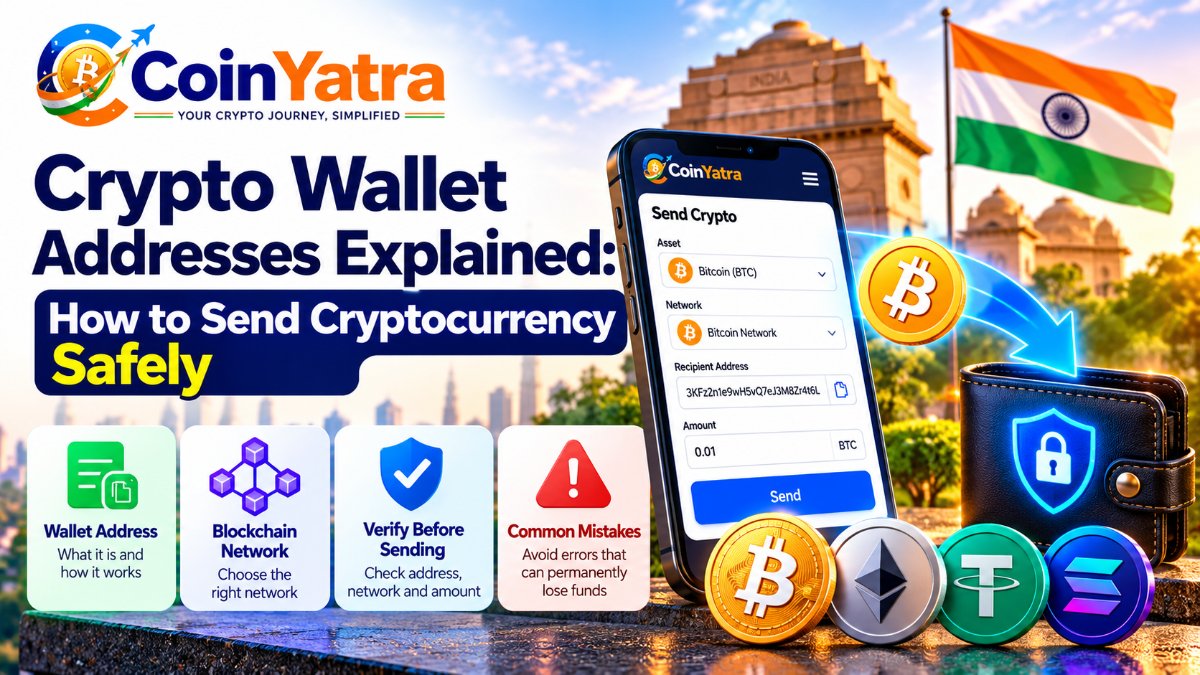
Crypto Wallet Addresses Explained: How to Send Cryptocurrency Safely
Sending cryptocurrency can look as simple as copying an address, entering an amount and pressing Send.
But blockchain transactions work differently from bank transfers.
Once a cryptocurrency transaction is confirmed on the blockchain, it generally cannot be reversed. A wrong address, incorrect network or missing memo can therefore turn a simple transfer into a difficult or potentially permanent loss.
That is why understanding wallet addresses and blockchain networks is one of the most important skills for anyone using cryptocurrency.
In this guide, we explain what a crypto wallet address is, how addresses work, why the network matters, how to verify an address before sending, and the most common mistakes to avoid.
What Is a Crypto Wallet Address?
A crypto wallet address is a string of characters that identifies where cryptocurrency can be sent on a blockchain network.
You can think of it as a destination for a blockchain transaction.
For example, instead of sending Bitcoin to someone's name or email address, you send it to a Bitcoin address.
A wallet address may look like a long combination of letters and numbers.
Different blockchains use different address formats.
For example:
Bitcoin addresses use Bitcoin-specific formats.
Ethereum addresses are used on Ethereum and compatible networks.
Solana uses a different address format.
Other blockchains have their own address systems.
The important point is that an address is connected to a particular blockchain network and asset environment.
Therefore, copying an address correctly is only part of the process.
You must also make sure you are using the correct network.
Is a Crypto Wallet Address the Same as a Wallet?
No.
A wallet is the software or hardware interface used to manage cryptocurrency keys and interact with blockchain networks.
An address is a destination associated with those keys.
A simple way to think about it is:
Wallet = tool used to manage crypto
Wallet address = destination used to receive crypto
A wallet can also have multiple addresses, depending on the cryptocurrency and wallet design.
This is why you should always copy the address from the specific deposit or receive screen for the asset you are transferring.
Why Does the Blockchain Network Matter?
This is one of the most important things to understand before sending crypto.
Some assets are available on multiple blockchain networks.
USDT is a common example.
USDT can exist on different networks, including:
Ethereum / ERC-20
BNB Smart Chain / BEP20
Other supported networks
The fact that both transactions involve "USDT" does not mean they are the same blockchain transaction.
For example:
USDT ERC-20 ≠ USDT BEP20
If a receiving platform gives you a BEP20 USDT deposit address, you need to send USDT using the BNB Smart Chain network.
If it provides an ERC-20 address, you need to use Ethereum's network.
CoinYatra currently supports USDT on BEP20 and ERC-20, with separate network-specific deposit information. Its deposit guide specifically instructs users to match the network on both sides before sending.
What Happens If You Use the Wrong Network?
Using the wrong network can result in funds not arriving at the expected destination.
For example, imagine you want to send USDT to a platform that expects:
USDT — ERC-20
But you select:
USDT — BEP20
The receiving platform may not automatically credit the transfer.
Depending on the wallets, networks and receiving service involved, recovery may be difficult or impossible.
This is why the correct procedure is:
Check the receiving network → select the same network when sending → verify again before confirming.
Never choose a network simply because its fee appears cheaper.
The receiving wallet or platform must support that exact network.
How to Safely Verify a Crypto Address
Before sending cryptocurrency, use a fixed verification routine.
Step 1: Open the receiving wallet or platform
Go to the Deposit, Receive or equivalent section.
Select the exact cryptocurrency you want to receive.
Step 2: Select the network
If multiple networks are available, carefully choose the one you intend to use.
For example:
USDT → BEP20
or
USDT → ERC-20
Step 3: Copy the address
Use the wallet's Copy Address button.
Avoid manually typing a long blockchain address.
CoinYatra's own deposit guidance recommends copying the address from the app rather than typing it manually.
Step 4: Paste the address into the sending platform
Now go to the platform or wallet from which you are sending the cryptocurrency.
Paste the address into the withdrawal field.
Step 5: Compare the address
Don't assume that because you copied and pasted the address, everything is correct.
Compare the beginning and ending characters with the original address.
For example:
Original: 0xA81F...72C9
Pasted: 0xA81F...72C9
Checking the first and last several characters can help identify an address that has been unexpectedly replaced.
CoinYatra specifically recommends comparing the first and last four characters after pasting because clipboard-related malware can replace copied addresses.
Step 6: Check the network again
Before clicking Send, verify:
Asset + Network + Address
All three should match.
Step 7: Check the amount
Make sure you are sending the intended amount and that it meets any applicable minimum.
Step 8: Confirm the transaction
Only after completing these checks should you authenticate and submit the transfer.
What Is a Memo or Destination Tag?
Some cryptocurrency networks and services require more than an address.
You may also see a:
Memo
Destination tag
Payment ID
Reference ID
These additional identifiers help a platform determine which account should receive the transaction.
If the receiving platform provides a memo or tag, don't ignore it.
You may need to enter both the address and the memo/tag.
CoinYatra's deposit guide explains that when a memo or tag is displayed, it should be copied along with the address. Missing or incorrect information can cause a deposit to remain unassigned and require investigation.
So your verification checklist becomes:
Address + Network + Memo/Tag + Amount
Why You Should Never Type a Wallet Address Manually
Blockchain addresses can be long and difficult to read.
Typing one character incorrectly can send funds somewhere completely different.
Copy and paste is therefore generally preferable.
However, copy and paste does not mean you should skip verification.
Some malware can monitor your clipboard and replace cryptocurrency addresses with an attacker's address.
That's why the safest habit is:
Copy → Paste → Compare → Confirm
Don't just:
Copy → Paste → Send
Should You Send a Test Transaction?
When using a new withdrawal address for the first time, a small test transaction can provide an additional layer of verification.
For example, instead of immediately sending a large amount:
Send a small amount.
Wait for it to arrive.
Confirm the correct asset and network.
Then send the remaining amount.
The test amount should still satisfy the receiving platform's minimum deposit requirements.
A test transfer isn't always practical for every transaction, especially when fees are significant, but it can be useful when sending a meaningful amount to a new destination.
CoinYatra's security and withdrawal guidance also recommends a small test amount when first using a new address.
What Happens After You Press Send?
A crypto withdrawal generally goes through several stages.
1. Withdrawal request
You submit the transaction from your exchange or wallet.
2. Security authentication
Depending on the platform, you may need 2FA, email confirmation or another authentication step.
3. Processing
The platform may perform security or compliance checks before broadcasting the transaction.
4. Blockchain broadcast
The transaction is submitted to the relevant blockchain network.
5. Network confirmations
The blockchain processes the transaction and adds it to blocks.
6. Receiving platform credits the funds
The destination wallet or exchange may wait for a certain number of confirmations before making the balance available.
CoinYatra currently requires KYC, 2FA and email confirmation for withdrawals, and larger withdrawals can undergo manual review before processing. Once a withdrawal is broadcast, a TXID is available for tracking.
What Is a TXID?
A TXID, or transaction ID, is a unique identifier for a blockchain transaction.
It is sometimes also called a:
Transaction hash
After sending crypto, the TXID allows you to track the transaction on the relevant blockchain explorer.
A TXID can help you verify:
Transaction status
Amount
Sending address
Receiving address
Confirmation count
Blockchain used
Keep the TXID whenever you make an important transfer.
It can be particularly useful if the receiving platform says that a transaction has not yet been credited.
What Does "Pending" Mean?
A pending transaction does not necessarily mean something is wrong.
Depending on the stage, it may mean:
The platform is processing your withdrawal.
A security review is taking place.
The transaction has been broadcast but hasn't received enough confirmations.
The receiving platform is waiting for additional confirmations.
Once the transaction has been broadcast, you can generally use the TXID to check its status on the appropriate blockchain explorer.
Network congestion can also affect how quickly transactions are confirmed.
Common Crypto Sending Mistakes
1. Sending to the wrong address
This is one of the most serious mistakes.
If you send cryptocurrency to an incorrect address controlled by someone else, the blockchain generally does not provide a mechanism to reverse the transaction.
2. Selecting the wrong network
Sending USDT using BEP20 when the receiving service expects ERC-20 can create serious problems.
Always match the network.
3. Sending the wrong asset
An address being valid on a blockchain does not automatically mean it is suitable for every token or asset.
Always select the exact asset requested by the receiving platform.
4. Forgetting a memo or tag
Some services require an additional identifier.
If one is displayed, include it correctly.
5. Ignoring the minimum deposit
Some platforms have minimum deposit amounts.
A transaction below the minimum may not be automatically credited.
6. Not checking the withdrawal fee
The amount you enter and the amount received can differ because of the applicable withdrawal fee.
Check the net amount before confirming.
7. Sending during a rushed situation
Scammers often create urgency.
A message saying:
"Send this immediately or your account will be closed."
should be treated with caution.
Never let a message pressure you into skipping address and network verification.
How to Send Crypto Safely: The 30-Second Checklist
Before pressing Confirm, check these items:
1. Asset
Am I sending the correct cryptocurrency?
2. Network
Does the sending network exactly match the receiving network?
3. Address
Did I copy the address directly from the receiving platform?
4. Address characters
Did I compare the beginning and ending characters after pasting?
5. Memo/Tag
Does the receiving platform require one?
6. Amount
Am I sending the intended amount?
7. Minimum
Does the amount satisfy the destination's minimum?
8. Fee
How much will actually arrive after the withdrawal fee?
9. Destination
Am I sending to the correct wallet or account?
10. Confirmation
Have I reviewed everything one final time?
If all ten checks are correct, you can proceed with the transaction.
How CoinYatra Handles Crypto Withdrawals
CoinYatra provides asset-specific withdrawal functionality with network selection, address validation, applicable fees and withdrawal requirements.
Its current withdrawal process includes KYC, 2FA and email confirmation, while withdrawal requests can be reviewed before being broadcast. CoinYatra also provides a TXID after broadcast so users can track their transactions.
For users sending crypto from CoinYatra, the basic sequence is:
Select asset → select network → enter destination address → check amount and fee → authenticate → confirm → track TXID.
The most important part remains the user's own verification before confirmation.
A platform's security controls cannot correct an address or network that the sender deliberately or accidentally enters incorrectly.
Frequently Asked Questions
Can a crypto transaction be reversed?
Generally, once an on-chain transaction has been broadcast and confirmed, it cannot be reversed like a traditional bank transfer. This is why checking the address and network before sending is so important.
Can I use the same address for different cryptocurrencies?
Not necessarily. Address formats and supported assets depend on the blockchain and receiving wallet. Always use the deposit address specifically provided for the asset you are sending.
Can I use the same USDT address on every network?
No. USDT can exist on multiple networks. You must use the network supported by the receiving service and select the same network when sending.
What should I do if my crypto withdrawal is pending?
First check the withdrawal status and, once available, the TXID. Use the TXID on the relevant blockchain explorer to determine whether the transaction has been broadcast and confirmed.
What if I sent crypto to the wrong address?
If the transaction has already been broadcast, recovery may not be possible. Contact the receiving platform or wallet provider immediately if you believe the destination belongs to a service that can identify the transaction, but don't assume the transaction can be reversed.
Why did I receive less crypto than I entered?
A withdrawal fee may be deducted from the requested amount. Review the fee and net amount displayed before confirming the withdrawal.
Final Thoughts
Crypto wallet addresses are simple in concept, but they require careful handling.
The safest habit is to slow down before every transfer.
Remember:
Correct asset.
Correct network.
Correct address.
Correct memo or tag.
Correct amount.
Correct destination.
Then authenticate the transaction and keep the TXID.
A few seconds of verification can prevent a costly mistake because blockchain transactions generally do not have the same reversal mechanisms as traditional bank transfers.
Whether you are withdrawing Bitcoin, sending USDT, moving Ethereum or transferring another digital asset, treat the withdrawal screen as a final verification step, not just a form to complete quickly.
Cryptocurrency transactions are irreversible once broadcast in many cases, and digital assets are volatile. This article is for educational purposes only and is not financial, investment, legal or tax advice.